For Marketers
AI for Marketing
The workflow, the guides, the prompt templates, and the mistakes to skip. Everything a marketer needs to get genuinely good at using AI, in one place.
- 10 in-depth guides
- 4 prompt templates
- A full workflow map
- Beginner to advanced
What is AI?
An AI assistant is a tool built on a large language model. Unlike a search engine or a basic chatbot, a good one can hold an entire campaign brief in mind across a long conversation, remembering the audience, tone, and goal you gave it three messages ago. That is what makes it useful for marketing work that takes more than one message to get right, since a first draft is rarely the point. AI Learning teaches you how to work this way through real marketing tasks: reviewing existing copy, building a brand voice you can reuse, writing new copy, researching audiences and competitors, drafting campaign briefs, and repurposing content across channels.
Why it matters
Why marketers are turning to AI
Not because it writes copy. Because of how it writes copy: in a conversation, holding your brief in mind, giving you options to react to instead of one take to accept or reject.
Most AI writing tools are built around a single request: describe what you want, get one output, start over if it misses. A good AI assistant, briefed well, works more like an editor you are briefing. It holds the whole conversation in context, so "shorter," "lead with the problem," and "the second line is weak" all land against everything you have already said.
| Working with it | A generic AI writer | An AI assistant, briefed well |
|---|---|---|
| Unit of work | One prompt, one output | A conversation you steer |
| Your feedback | Regenerate and hope | "Fix the second line," and it does |
| Brand voice | Re-described every time | A saved reference it checks each draft against |
| Best at | A first draft to accept or reject | A first draft, then the ten edits after |
The skill this path teaches is not prompt tricks. It is knowing what AI is good for, and what stays your job.
Where AI is strong
- Anything with a real brief. A defined audience, one core message, and a genuine constraint produce copy written for someone, not for everyone.
- Reacting and comparing. Three different angles side by side beat one polished guess, and it is easier to say what is wrong with a real example than to describe it in the abstract.
- Turning mess into structure. Interview notes become quote-backed pain points, competitor pages become a positioning map, a one-line goal becomes a brief a team can build from.
Where you still do the work
- Deciding the angle. An AI assistant picks a safe one if you do not.
- Anything it cannot see. Live rankings, your real campaign results, this quarter's numbers.
- The final call. It drafts and pressure-tests. You decide what ships.
The ladder
The four levels of using AI for marketing
Every marketer using AI is somewhere on this ladder. Most stop at Level 1 and decide the tool is overrated. The rest of this path is the climb to Level 4.
- 1
Level 1 One-shot prompting
Where most stop"Write me an ad." One output, regenerate, give up. The result is generic because the prompt was, and retrying does not fix that.
- 2
Level 2 Briefing
Name the audience, the goal, one real constraint, and the angle. Now the copy sounds written for someone. Run one brief through two assistants shows that loop on a real task.
- 3
- 4
Level 4 Workflows and testing
Where this path takes youResearch feeds briefs, briefs feed drafts, drafts feed real tests, one finished piece becomes ten. AI stops being a writing tool and becomes how the work moves.
The big picture
How AI fits into a marketing workflow
AI is not one step in your process. It runs alongside most of them. Here is the path a campaign takes, and where each guide in this course picks up.
- 1
Understand the audience
Group customer interviews and support notes into pain points backed by real quotes.
- 2
Find the positioning gap
Map what competitors claim and who they leave unaddressed, then turn the gap into an angle.
- 3
Write the brief
Turn a one-line goal into audience, message, channels, and deliverables, with the guesses flagged.
- 5
Draft the copy
The core loopBrief plus voice in one prompt, then react precisely until it is right. Compare two assistants on the same brief.
- 6
Write for one segment
Narrow a list email to the one group it is really for, so it does not read like an announcement.
- 7
Test real angles
Build an ad set where the variants differ in premise, not phrasing, so the result means something.
- 8
Distribute everywhere
Rebuild the finished piece for each channel's reading pattern, not just its length limit. Plan a month of content.
New to AI entirely? Start with the prompt framework.
What marketers use AI for
- 01
Reviewing and improving existing copy
Paste in a draft and ask for a specific read: is the value proposition clear, is the call to action doing work, does it sound like you. A good AI assistant points at the exact lines that are weak instead of a vague 'looks good.'
“Here's our pricing-page headline: 'Plans that scale with you.' Tell me what a first-time visitor still would not know after reading it, and give me three sharper alternatives under six words.”
- Get feedback tied to specific lines
- Catch a vague value proposition early
- Hear what a cold reader misses
- 02
Building a brand voice AI can reuse
Turn your tone into a reference an AI assistant checks every draft against: real sample copy, explicit do and don't rules, one off-brand example. Set it up once, then reuse it in every prompt after.
“Here are six headlines we've shipped and one a freelancer wrote that we rejected for leaning on words like 'revolutionary.' Write three rules, one sentence each, for what makes copy sound like us.”
- Stop re-describing your voice every chat
- Keep copy consistent across writers
- Name the words your brand never uses
- 03
Writing and editing new copy
Draft headlines, product descriptions, subject lines, and ad copy from a brief, then refine through conversation: shorter, less formal, lead with the problem. A good AI assistant keeps the thread, so you never start over.
“Write five subject lines for an email announcing a 20%-off weekend to existing customers. Under 40 characters each, no exclamation points, and avoid the words 'deal' and 'offer.'”
- Compare several angles at once
- Hit an exact length or format limit
- Refine without losing the good parts
- 04
Audience and competitor research
Turn scattered input into structure: group customer interview notes into quote-backed pain points, or map what competitors claim and who they leave unaddressed. AI finds the pattern you would miss skimming.
“Here are notes from five customer interviews. Give me the three frustrations that came up unprompted more than once, each with one real quote, and say which is the strongest angle for a landing page.”
- Turn raw notes into named themes
- Ground every finding in a real quote
- Find the positioning gap competitors left
- 05
Campaign and content briefs
Describe a goal in one line and let an AI assistant structure the audience, message, channels, and deliverables into a brief your team can build from, with its guesses flagged so you confirm them before anything ships.
“We're launching a referral program for existing customers, live June 1. Turn this into a one-page brief with audience, key message, three channels, and deliverables. Mark anything you inferred.”
- Structure a brief in minutes
- See which parts are guesses, not decisions
- Hand off something a writer can start from
- 06
Repurposing content across channels
Take one finished piece and rebuild it for each channel's actual reading pattern, not just its length limit, so the LinkedIn post, the email, and the caption each read like they were written for that place.
“Turn this 800-word post into a LinkedIn update that opens with a claim in the first line, a 3-line email teaser, and one caption under 125 characters. Same core message, a different shape each.”
- One message, genuinely native per channel
- Match each channel's format, not just word count
- Keep the core message consistent everywhere
Where to start
Your learning path, from beginner to advanced
The guides build on each other. Work through them in this order and each one assumes only what the last one taught.
Beginner: foundations
Start here if AI is new to you, or you have only used it for the occasional one-off.
- Run One Brief Through Two Assistants teaches the core habit: brief with a real task, then judge the draft on your own writing.
- Building a Reusable Brand Voice Prompt for ChatGPT sets up the reference you reuse in every prompt after.
- How to Stop ChatGPT's Writing From Sounding Like ChatGPT removes the phrases that make a draft read as machine-written.
Intermediate: one voice, every assistant
Once one assistant follows your voice, make the same reference work wherever your team writes.
- Building a Reusable Brand Voice Gem is the same reference as a Gemini Gem.
- Building a Reusable Brand Voice Skill in Grok is the same reference as a Grok Skill.
- A Content Calendar Workflow With Gemini and Canvas turns a month of ideas into a plan you can draft from.
- A Weekly Content Workflow With Copilot and Designer applies the loop to written and visual content in one week.
Advanced: visual content
These assume your written work is steady and you want pictures that match it.
- ChatGPT Image Prompts That Actually Work covers briefing an image the way you brief a draft.
- Gemini Image Prompts for Realistic Results shows how to avoid the over-smoothed AI look.
- Copilot Designer and Image Creator in Office Apps brings the same idea into the documents you already use.
If you only do three
The brief-and-judge guide, one brand voice guide for the assistant you use, and the guide on removing machine-sounding phrasing. Those cover the loop you will use every day. Everything else is a variation on it.
What changes
Marketing mistakes this path helps you avoid
Each of these is a habit that produces weaker work and more revision rounds. Each has a guide that fixes it.
- Writing for "our customers." Copy that is technically true for everyone lands with no one. The fix is naming the one segment before you draft.
- Asking for ten options. Ten headlines from a vague prompt are ten phrasings of one idea. Ask for three built on genuinely different premises.
- Re-describing your brand voice every time. "Friendly but professional" fits a hundred brands. A reference with real samples and explicit rules fits yours. Set one up for ChatGPT, Gemini or Grok.
- Briefs that are a keyword and a word count. A writer given that produces something the top results already say. A real brief names the angle nobody else is taking.
- Trimming instead of repurposing. The same paragraph cut to three lengths reads flat on all three channels. Rebuild it for how each one is actually read.
Before and after
The same email opening, written for the whole list and then for one segment.
| Before: written for the list | After: written for one segment |
|---|---|
| "We've been working hard on some exciting improvements, and we're thrilled to share what's new this month." | "You signed up two weeks ago and haven't sent your first campaign yet. Here's the one step that's probably blocking you." |
The second version is not better written. It is aimed. That is the shift this path is built around.
Steal these
The marketing prompt pack
Four templates for the research and planning work AI is best at. Every one is copy-and-paste, with the parts you fill in marked.
Copy a template into your assistant and replace the bracketed parts with your own material.
Here are notes from [N] customer interviews or survey responses: [paste].
Give me the [3-4] frustrations that came up unprompted more than once.
For each: a one-line summary, one real quote, and how many sources mentioned it.
Then tell me which is the strongest angle for [a landing page / an email / an ad] and why.
Here is the homepage copy from [N] competitors: [paste each headline, subheadline, and top feature callouts].
For each, give me their core claim in one sentence and the audience they are clearly writing for.
Then tell me the claim none of them are making, and the audience none of them speak to directly.
Turn that gap into one headline I could actually run.
Goal: [one sentence, e.g. get lapsed trial users to activate before the quarter ends].
What I already know: [deadline, budget, required channel, anything fixed].
Turn this into a one-page brief: audience, key message, three channels, deliverables, timeline.
Mark every section as "from what I told you" or "your inference" so I can confirm the guesses.
Here is the full piece: [paste].
Rebuild it for each channel's reading pattern, not just its length:
- LinkedIn: opens with a claim or question, short lines, [~150 words]
- Email teaser: subject line plus [3] lines that earn the click
- [X / Instagram] caption: one strong line under [125] characters
Keep the core message identical. Do not just shorten the same paragraph three times.
How you'll learn
AI Learning walks you through the fundamentals step by step, with structured lessons, practice quizzes, and a progress tracker so you always know where you stand.
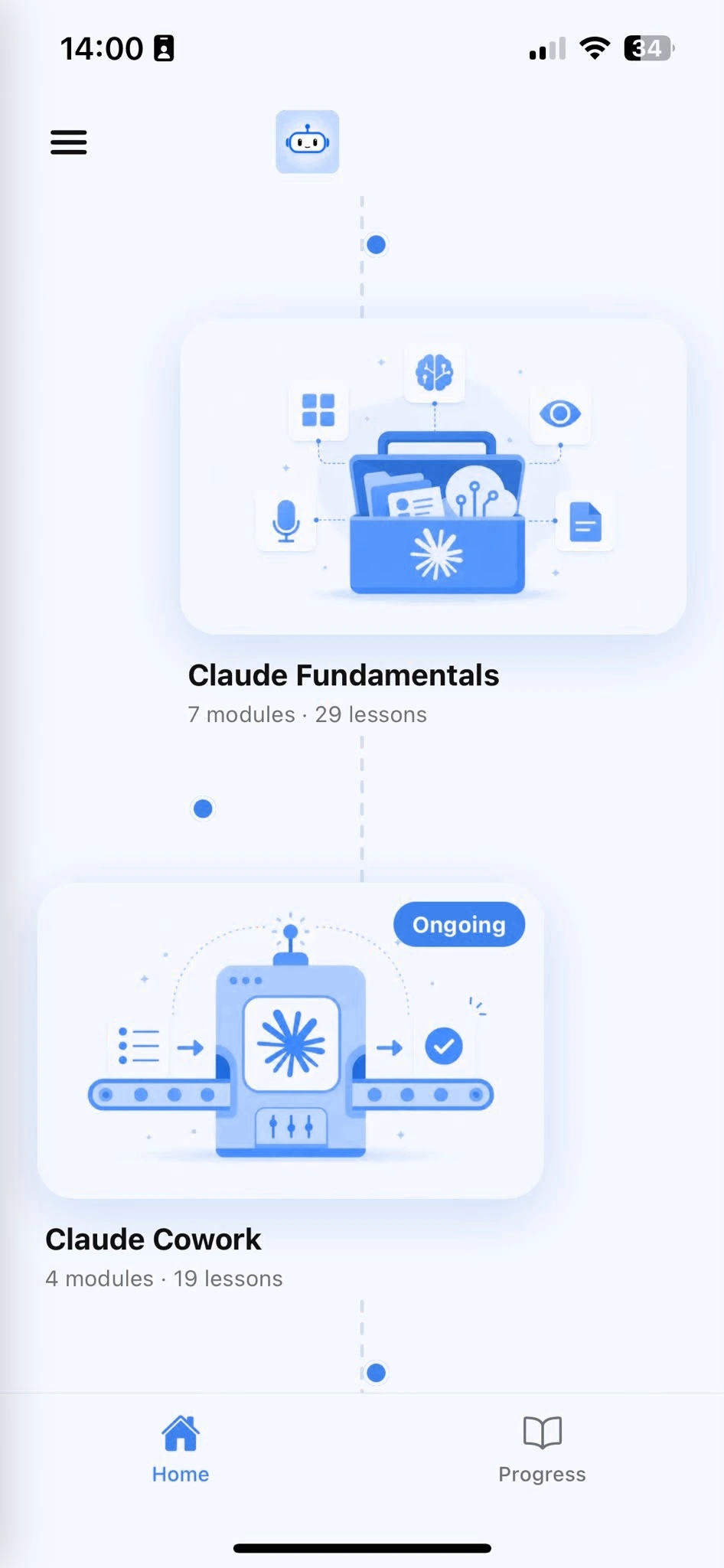
Browse Courses
Choose what to learn from a structured library of AI lessons.
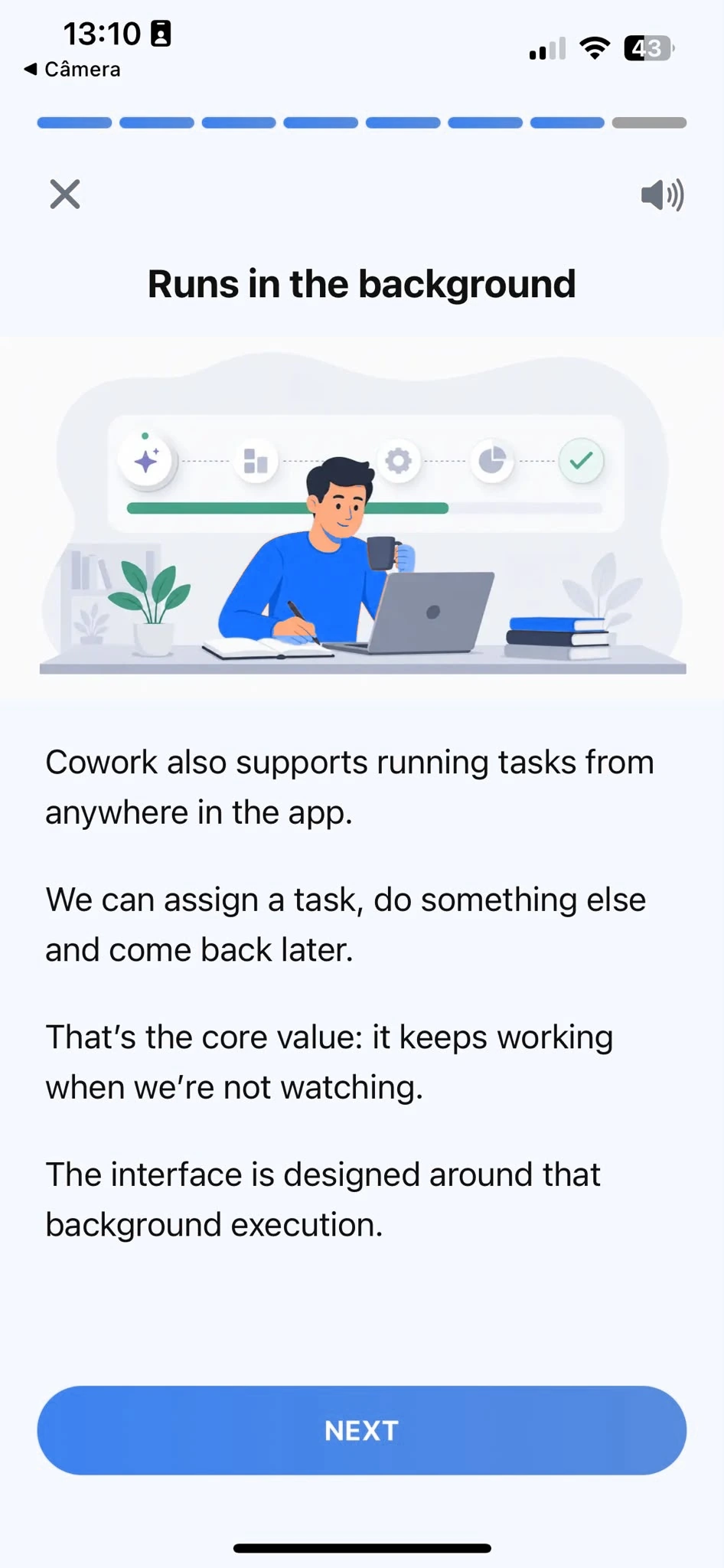
Learn
Short, focused lessons that build from fundamentals to real-world tasks.
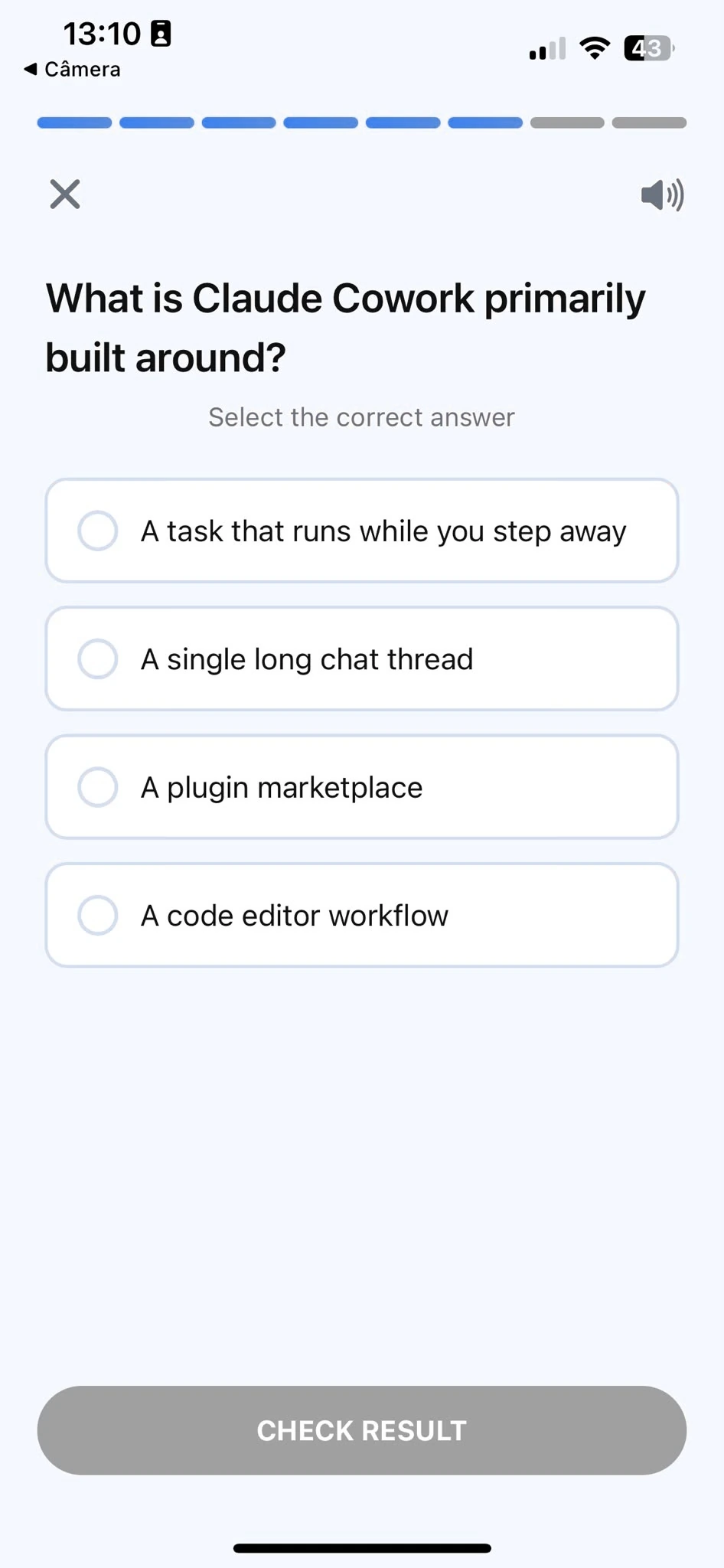
Quiz
Test your understanding right after each lesson, not at the end.
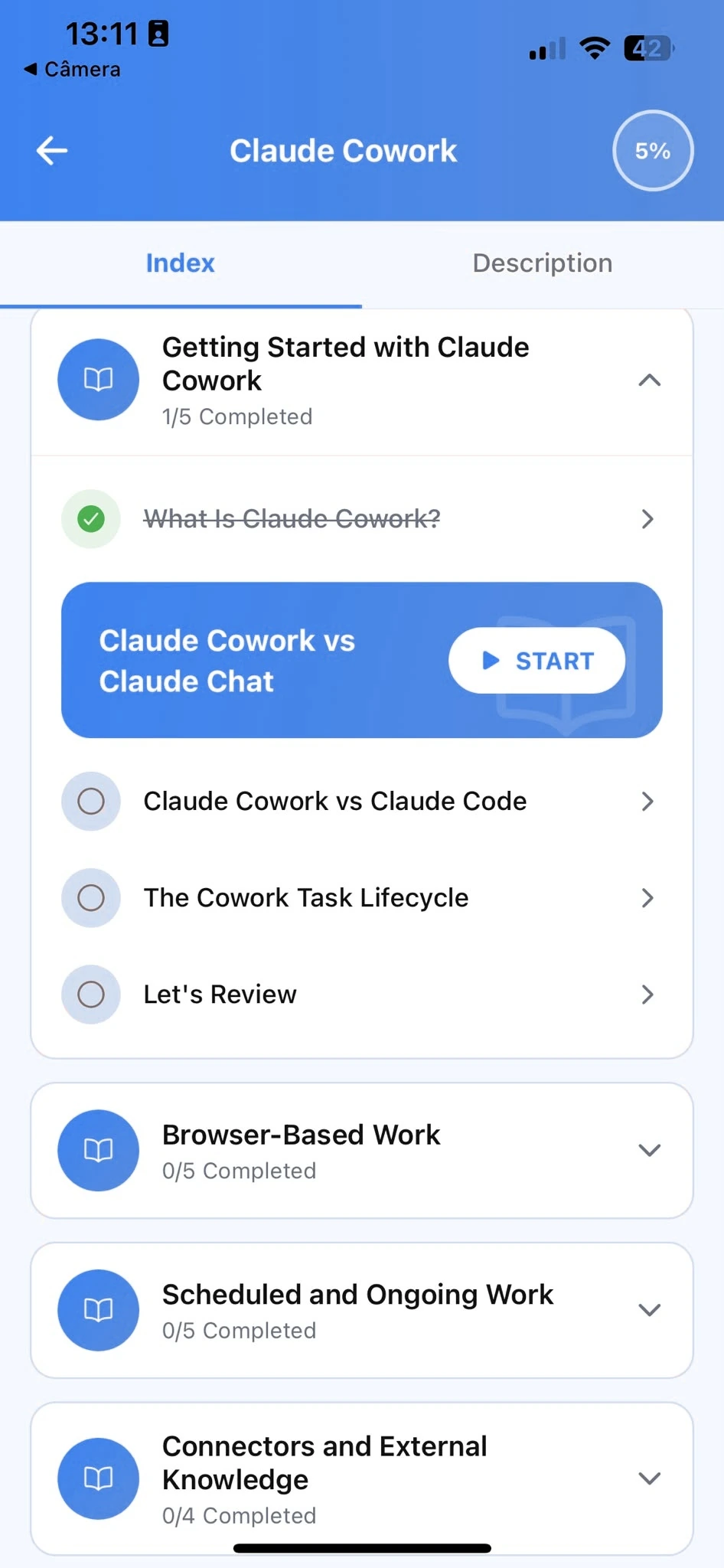
Track Progress
Pick up exactly where you left off, on any device, at any time.
Every guide in this path
- Content Creators5 min read
Claude vs ChatGPT for Writing: Run One Brief Through Both
A fair way to compare Claude and ChatGPT on your own writing: one brief, a scoring sheet, and what to look for beyond which draft sounds nicer.
Read article - Marketing8 min read
Building a Brand Voice Prompt for ChatGPT You Can Reuse Every Time
Instead of re-describing your brand's tone in every conversation, build one reusable brand voice brief and drop it into Custom Instructions or a Project.
Read article - Marketing8 min read
Building a Brand Voice Gem You Reuse Across Every Piece of Content
Instead of re-describing your brand's tone in every conversation, build one Gem with your brand voice baked into its instructions and Knowledge files.
Read article - Marketing9 min read
Building a Brand Voice Skill in Grok You Reuse Across Every Post
Instead of re-describing your brand's tone every time, build one Grok Skill with your voice baked into its instructions so every draft starts on-brand.
Read article - Content Creators9 min read
How to Stop ChatGPT's Writing From Sounding Like ChatGPT
The specific words, structures, and habits that make AI writing recognizable, and the prompt instructions that actually remove them, not just make it sound more human.
Read article - Content Creators9 min read
Running a Content Calendar Through Gemini Instead of a Spreadsheet Alone
A repeatable way to plan a month of content with Gemini, from idea list to drafted posts, using Canvas for anything that needs real iteration.
Read article - Content Creators9 min read
A Weekly Content Workflow Built Around Copilot and Designer
A repeatable weekly rhythm for producing on-brand written and visual content, using Copilot's Office integration instead of switching between separate tools.
Read article - Content Creators6 min read
ChatGPT Image Prompts That Actually Get You a Usable Result
Vague image prompts get vague images. A practical framework for describing what you want, plus how to iterate on a first draft instead of starting over.
Read article - Content Creators9 min read
Gemini Image Prompts That Actually Look Real (Not Obviously AI-Generated)
The specific prompt habits that push Gemini's image generation toward a genuinely convincing result instead of the telltale over-smoothed AI look.
Read article - Content Creators8 min read
Using Copilot's Designer Tools Right Inside Word and PowerPoint
Image generation moved from a separate Designer app into Word and PowerPoint directly. Here's how to use it without breaking your document's flow, and where a real design tool still wins.
Read article
Is this for you
Who this is for, and what you'll walk away with
This path is built for people doing real marketing work who want AI to genuinely help, not just produce filler to edit.
Who this is for
Content and brand marketers who write and edit regularly and want the output to stop sounding generic
Performance and growth marketers who need real test variants and briefs quickly
Product marketers turning research and positioning into messaging
Founders and solo marketers doing all of the above with no team to hand off to
Anyone who has tried AI for marketing, found the results flat, and wants to know what they were doing wrong
You do not need any AI experience. You do need real marketing work to practice on.
What you'll be able to do afterward
Write a brief an AI assistant can produce usable copy from on the first try
Give feedback that improves the next draft instead of reshuffling the same words
Set up a brand voice reference once and reuse it across every writer and every prompt
Turn raw research into quote-backed pain points and a positioning angle
- Build ad tests where a flat result still tells you something
Repurpose one piece into channel-native versions in a single conversation
Skills you'll develop
- Briefing. Naming the audience, goal, constraint, and angle before you ask for anything.
- Precise feedback. Pointing at the exact line, then naming the problem and the direction.
- Synthesis. Turning a pile of notes or pages into a short list of named, sourced themes.
- Knowing when to restart. Telling a wording problem apart from a wrong angle.
Where to go after Marketing
| Next path | Why it follows |
|---|---|
| Content Creators | Scripts, hooks, and turning one idea into a week of content, if you also make video or run a newsletter |
| Sales | The same brief-and-feedback loop applied to outreach, follow-ups, and proposals |
| Entrepreneurs | Pitches, investor updates, and turning customer conversations into what to build |
| Productivity | The reusable-workflow habits that make all of the above faster |
Frequently Asked Questions
Can AI be used for marketing?
Yes. Marketers use it for copywriting, audience and competitor research, campaign and content briefs, and repurposing content across channels. It works best as a drafting-and-feedback partner: you bring the brief and the judgment, AI brings speed and options to compare.
Is there an AI marketing course?
This is one. It is free, self-paced, and built around real marketing tasks rather than generic AI theory. The AI Learning app adds guided lessons, quizzes, and progress tracking on top of the same material.
How should I start learning AI for marketing?
Begin with Getting Started with AI for the core habit, then Writing Better Marketing Copy for the drafting loop, then set up a brand voice reference. The learning-path section above lays out the full beginner-to-advanced order.
What is the best AI for marketing?
The one you can brief well and steer. Marketers get the most out of an assistant whose default voice needs less rewriting and that holds a long editing conversation without drifting. The bigger lever is the quality of your brief, not which model you pick.
How do marketers actually use AI day to day?
Not as a one-shot generator. The pattern is: write a specific brief, get a first draft, give direct feedback the way you would to a person, ask for genuinely different angles to compare, and stop when the copy is something you would ship.
Can AI replace a copywriter?
No. It removes the blank page and the first few drafts, and it is a fast second opinion. Deciding the angle, knowing the audience, and judging what ships stay human.
Can AI do SEO or keyword research?
It can turn a keyword into a structured content brief with a real angle and outline, and it can draft metadata. It cannot see live search results or give you accurate search volume, so pair it with your own keyword tool and paste in what is currently ranking.
Will AI-written copy sound generic or obviously AI-written?
It does when the prompt names a product and a format but no reader, no goal, and no constraint. Give it a specific audience, one core message, and a brand voice reference, and the output sharpens immediately. The course covers exactly how.
Do I need AI experience to start?
No. The course starts from the fundamentals and assumes you have never used an AI assistant. If you already use one occasionally, the structured approach fills gaps and builds more reliable habits.
How long does the course take to complete?
Most learners finish the core curriculum in two to four hours, in short sessions. A single lesson runs about ten minutes, so it fits inside a working day without blocking off a half-day.
Can I use a free plan while taking the course?
Yes. Everything taught here works on the free plan most AI assistants offer. A paid plan gives you more usage, but it is not required to complete the lessons or apply what you learn.
Start learning AI
Download AI Learning and practice these workflows on your own campaigns, one ten-minute lesson at a time.